Choosing your salon software
SunbedHQ
vs Salon Tracker.
Compare the reception, online booking and management tools your salon needs.
Published by SunbedHQ. Salon Tracker features below are based on its official website, checked . We have not independently tested its product.
Start with the work
What does your salon need it to do?
SunbedHQ: start at reception.
Consider SunbedHQ if your starting point is the bed diary: walk-ins, online bookings, cash records and customer minutes together at reception. Book a demo around your own salon’s workflow and check the fit before changing systems.
Salon Tracker: consider the wider operation.
Salon Tracker is worth considering when you need a broader management package. Its website describes retail inventory, staff tools, EPOS hardware options, marketing and reporting alongside bookings, with tools for managing several sites.
The everyday work
Compare the essentials.
Use this as a shortlist for a demonstration. Confirm the features, equipment and support included in each provider’s offer.
| What to check | SunbedHQ | Salon Tracker |
|---|---|---|
| Reception | Day diary, selected-bed week view, bed board, walk-in bookings and protected capacity. | A client calendar alongside its wider salon-management tools. Calendar and features ↗ |
| Online booking | Browser booking connected to reception, with customer accounts and salon minute balances. | Web booking and customer access to remaining services. Online tools ↗ |
| Minutes and payments | Salon-specific minutes, cash and external payment records, and payment-due bookings. Online card processing is designed for connected salon Stripe accounts. | Advertises advance payments for tanning minutes and booking deposits. Payment features ↗ |
| Reporting | Reception totals, reports and CSV exports for recorded transactions and minute movements. | Describes sales, staff, customer spending and business-performance reports. Reporting features ↗ |
| Retail and team management | Focuses on the booking and reception workflow described here. Check your retail EPOS requirements separately during the demo. | Describes retail stock and staff management, plus EPOS hardware packages. Management and hardware ↗ |
| Several salons | Customer identity can be reused, while salon records and purchased minutes stay separate. Separate sign-in may be needed. | Describes HQ tools, site-level and combined reports, and sharing customer and service information between sites. Multi-site tools ↗ |
| Physical equipment | The bed board records a visit. Staff operate the physical bed using its controller. | Advertises EPOS hardware packages. Ask about compatibility with your exact beds, controllers and peripherals. Hardware features ↗ |
| Onboarding and support | Bring your setup to the demo and confirm the help available for your salon, including preparation of customer and opening-minute records. | Ask for the support hours, onboarding help and ongoing service included in the package you are considering. Ask Salon Tracker ↗ |
Take a closer look at SunbedHQ
From the bed diary to the next visit.
At reception, check the available space, add a walk-in and record the payment. On their phone, customers choose a session and an available time before signing in to complete their booking.
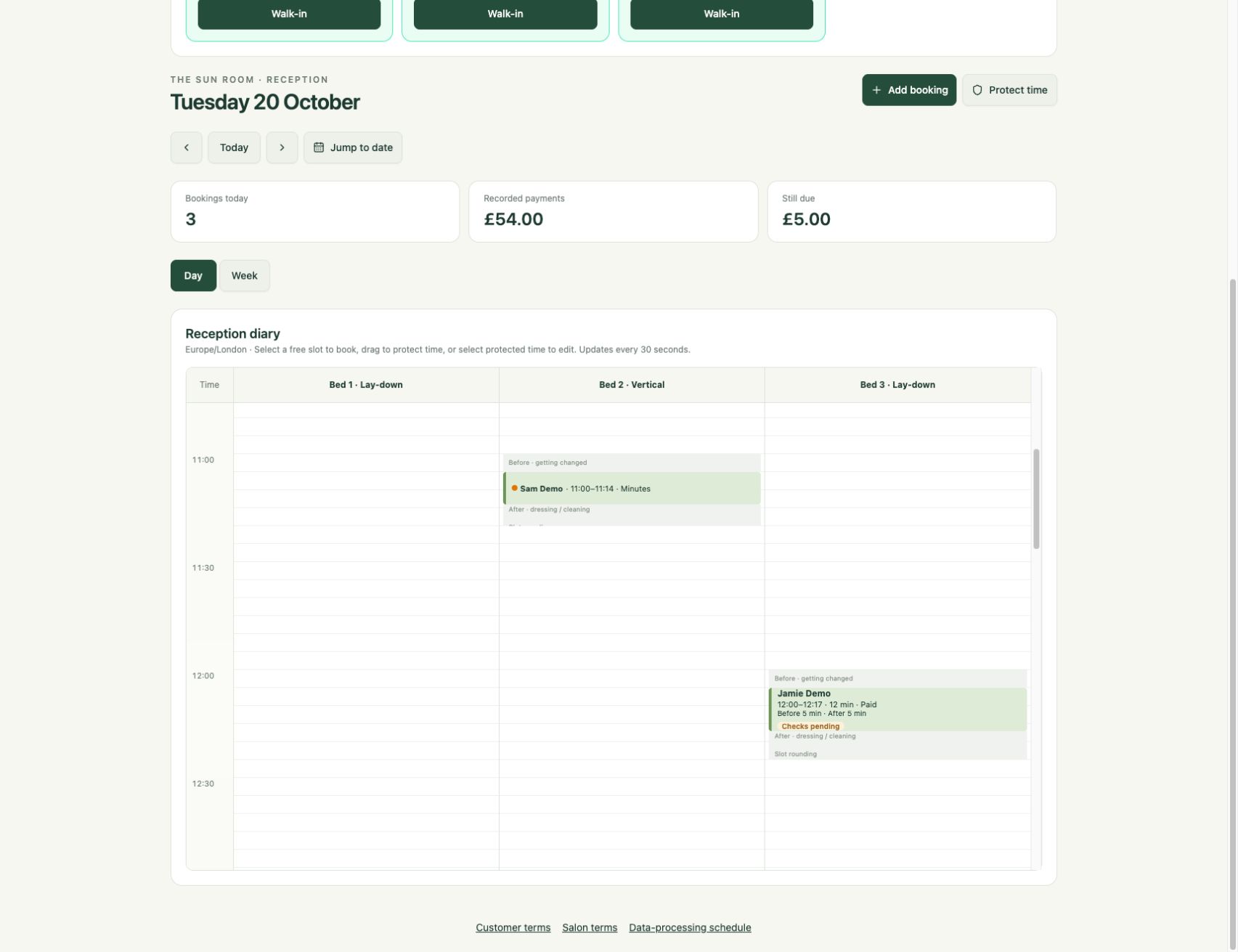
See the customer side too: session selection, available times and how confirmation works →
Before you switch
Check what needs to come with you.
SunbedHQ’s CSV import covers customer details and opening minute balances, with an optional expiry date. It is not an automatic Salon Tracker migration or a transfer of full booking and payment history.
Confirm what your existing system can export, check the file against SunbedHQ’s template and review the opening balances before importing. Keep the records you need from your existing system and plan how outstanding bookings and payments will be handled.
If your reception depends on a particular till, controller or retail workflow, include it in the discussion so you can plan which parts of your existing setup to keep.
A practical buying checklist
Ask both providers.
Choosing an alternative
Useful answers.
Is SunbedHQ a replacement for every Salon Tracker feature?
SunbedHQ covers the reception and booking workflows described here. Salon Tracker describes a wider set of retail, staff, marketing and multi-site tools. Compare the work your salon actually relies on and ask for a demonstration of the essentials.
Can you import my whole Salon Tracker database?
The current import is a reviewed customer CSV with opening minute balances. Native Salon Tracker migration and full-history transfer are not part of that import.
Which is cheaper?
Ask for current offers that include the features and equipment you need. This comparison does not quote prices or assume that subscriptions include VAT, processing fees or hardware.
Make the comparison practical
Bring your routine to the demo.
Start with the bookings, balances and equipment your salon relies on.